推荐关注
› Meteor
› JSLint - a JavaScript code quality tool
› jsFiddle
› D3.js
› WebStorm
推荐书目
› JavaScript 权威指南第 5 版 › Closure: The Definitive Guide
› Closure: The Definitive Guide

This topic created in 3235 days ago, the information mentioned may be changed or developed.

Supplement 1 · Aug 21, 2017
GIF 不清楚,我更新下图片,添加下步骤
点击投诉
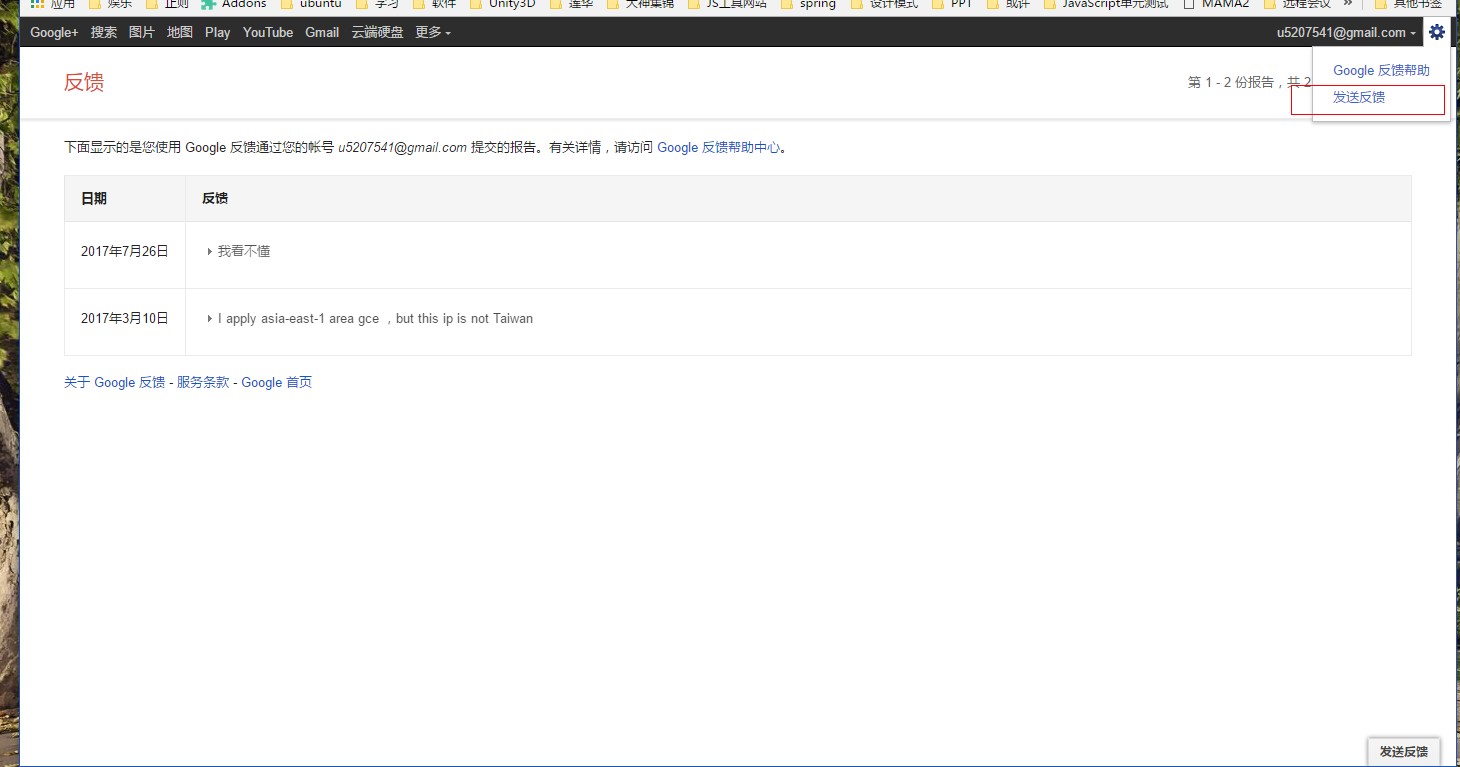
####弹出投诉按钮
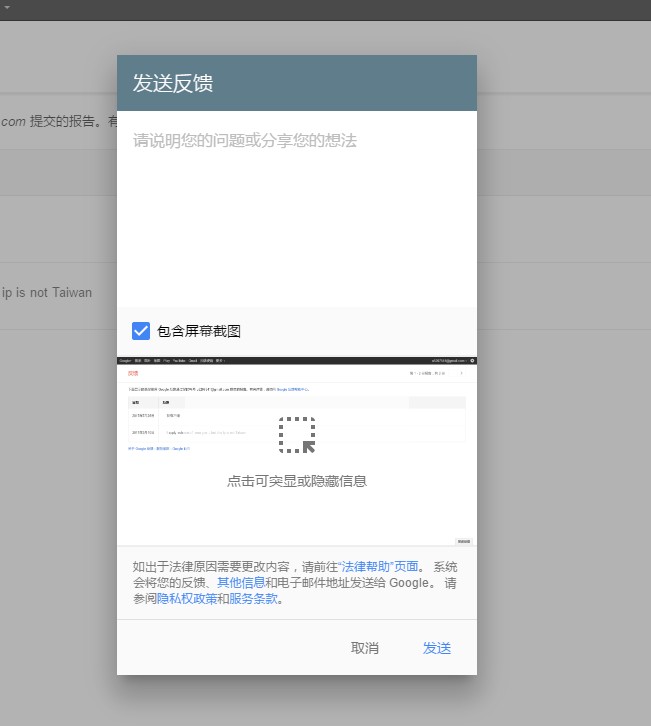
####最后这个效果
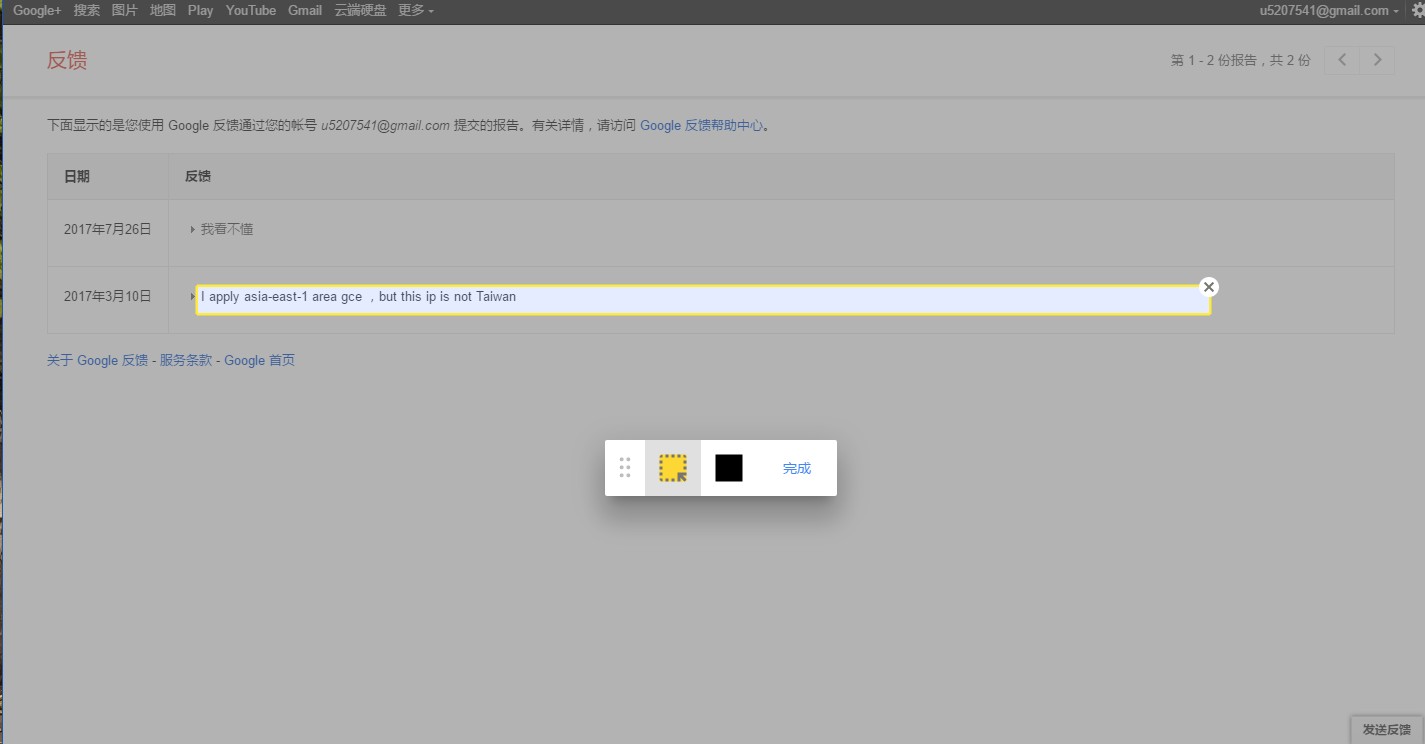
 |
1
autoxbc Aug 21, 2017
gif 看不清,贴图最好贴原始尺寸的
|
 |
2
safilar OP 不好意思,@autoxbc 我更新了下图片。
|
|
3
autoxbc Aug 21, 2017
选中 dom 元素可以看这个问答,高票答案给了好几个项目
https://stackoverflow.com/questions/742210/does-anyone-know-a-dom-inspector-javascript-library-or-plugin 后面从 dom 生成 png,大概先用 dom 生成 svg,然后画到 canvas 里,最后输出 png http://blog.csdn.net/jaylongli/article/details/50216553 http://www.jianshu.com/p/092496e772d4 https://juejin.im/entry/58b91491570c35006c4f7fdf 从 google 的压缩代码里,只翻出一个 canvg 的项目说明,是其中一步的工具。 |
 |
4
flowfire Aug 27, 2017
{
let theShadow = document.createElement("div"); theShadow.style.pointerEvents = "none"; theShadow.style.position = "fixed"; theShadow.style.top = "0px"; theShadow.style.left = "0px"; theShadow.style.right = "0px"; theShadow.style.bottom = "0px"; theShadow.style.background = "rgba(0,0,0,.2)"; document.body.appendChild(theShadow); document.addEventListener("mouseover", e => { let dom = e.target; let position = dom.getBoundingClientRect(); let X = position.left; let Y = position.top; let width = position.width; let height = position.height; let chosen = dom.cloneNode(); chosen.innerHTML = dom.innerHTML; Array.prototype.forEach.call(theShadow.childNodes, dom => dom.remove()); chosen.style.position = "fixed"; chosen.style.top = Y + "px"; chosen.style.left = X + "px"; chosen.style.width = width + "px"; chosen.style.height = height + "px"; chosen.style.border = "solid 2px yellow"; chosen.style.background = "#FFF"; theShadow.appendChild(chosen); }); } 一个简单的 demo,还有挺多 bug,但是大概思路就是这样的。 |
 Select Language